A Virus, Help?????

Collapse
This topic is closed.
X
X
 
  • Time
  • Show
Clear All
new posts
  • TC_Halogen
    Rhythm game specialist.
    FFR Simfile Author
    FFR Music Producer
    • Feb 2008
    • 19376

    #31
    Re: A Virus, Help?????

    NOD32 -- Full version trial for 30 days outta help you out. REALLY strong anti-virus here. ;D

    Then:

    Code:
    Download: Includes Fix/Patch! NOD32 AV Tested: No Virus/Trojan Found!
    CODE
    32 Bit
    http://rapidshare.com/files/134221497/ESET_NOD32_Antivirus_3.0.669_Home_Edition___NodLogIn_9.5.rar
    
    64 Bit
    http://rapidshare.com/files/134224447/ESET_NOD32_Antivirus_3.0.669__64_BIT__Home_Edition___NodLogIn_9.5.rar
    Taken from iso-tek. =)

    Comment

    • Oni-Paranoia
      No fucks
      • Dec 2006
      • 2440

      #32
      Re: A Virus, Help?????

      having trouble wit photobucket rofl, gimme a sec... (pssh like i have time to waste fuk)
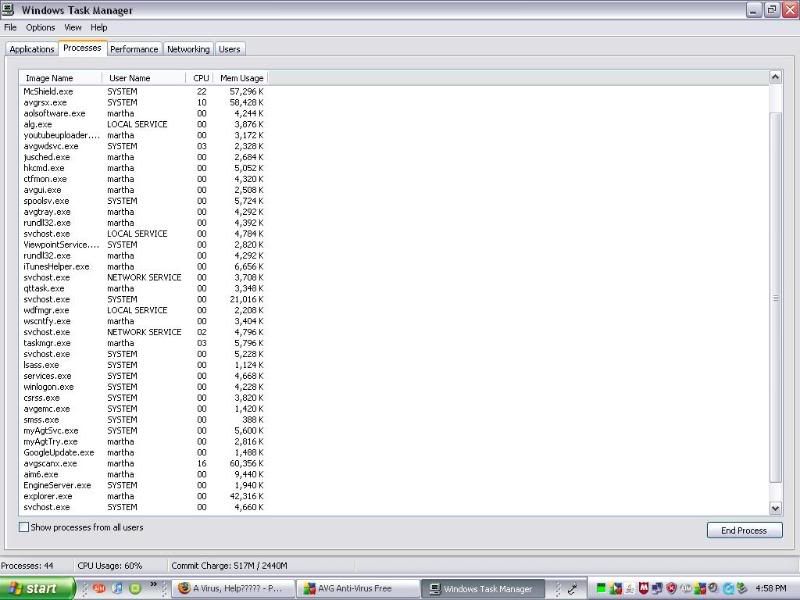
      Task manager


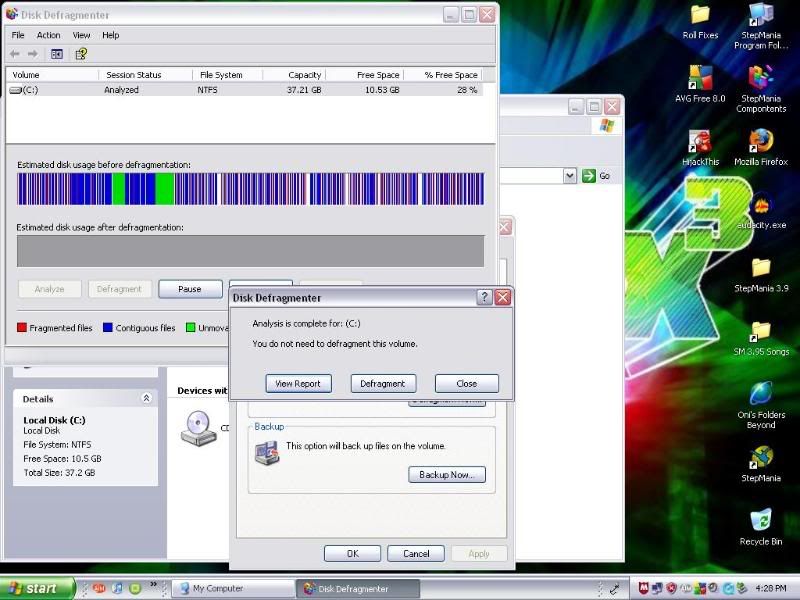
      Defrag thingy analyzed


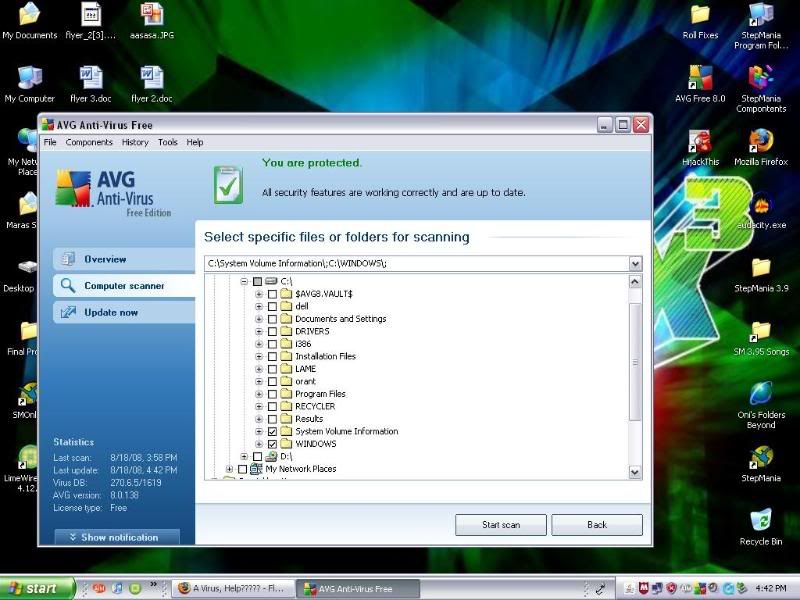
      What i currently Scan every 20 minutes

      Last edited by Oni-Paranoia; 08-18-2008, 03:38 PM.

      Comment

      • Hakulyte
        the Haku
        • Jul 2005
        • 4539

        #33
        Re: A Virus, Help?????

        I don't see anything special..

        Should probably ctrl+c/ctrl+v your highjackthis log... defrag is not really the problem and avg don't seems to see it either..

        I know that Kaspersky detect trojan horses which everything in this thread so far don't seems to do (but yeah haven't tryed NOD32 so can't tell, it looks decent..)

        You could do a disk clean up if you're bored too while you're at it..

        Too many reasons that your computer could be slower...

        Edit: www.bootdisk.com/ there's a couple of potential interesting stuff in utilities..
        Last edited by Hakulyte; 08-18-2008, 04:01 PM.

        Comment

        • Oni-Paranoia
          No fucks
          • Dec 2006
          • 2440

          #34
          Re: A Virus, Help?????

          Originally posted by Hakulyte
          I don't see anything special..

          Should probably ctrl+c/ctrl+v your highjackthis log... defrag is not really the problem and avg don't seems to see it either..

          I know that Kaspersky detect trojan horses which everything in this thread so far don't seems to do (but yeah haven't tryed NOD32 so can't tell, it looks decent..)

          You could do a disk clean up if you're bored too while you're at it..

          Too many reasons that your computer could be slower...

          Edit: www.bootdisk.com/ there's a couple of potential interesting stuff in utilities..

          ill copy the hijck log and re edit in this post, im doing everything i can and umm link to "Kaspersky"... half these sites i cant even get to (Fuking computer) >.>

          EDIT:
          Logfile of Trend Micro HijackThis v2.0.2
          Scan saved at 6:04:31 PM, on 8/18/2008
          Platform: Windows XP SP2 (WinNT 5.01.2600)
          MSIE: Internet Explorer v6.00 SP2 (6.00.2900.2180)
          Boot mode: Normal

          Running processes:
          C:\WINDOWS\System32\smss.exe
          C:\WINDOWS\system32\winlogon.exe
          C:\WINDOWS\system32\services.exe
          C:\WINDOWS\system32\lsass.exe
          C:\WINDOWS\system32\svchost.exe
          C:\WINDOWS\System32\svchost.exe
          C:\WINDOWS\system32\spoolsv.exe
          C:\PROGRA~1\AVG\AVG8\avgwdsvc.exe
          C:\WINDOWS\Explorer.EXE
          C:\Program Files\McAfee\Managed VirusScan\VScan\EngineServer.exe
          C:\Program Files\McAfee\Managed VirusScan\Agent\myAgtSvc.exe
          C:\WINDOWS\system32\svchost.exe
          C:\Program Files\Viewpoint\Common\ViewpointService.exe
          C:\WINDOWS\system32\hkcmd.exe
          C:\Program Files\Java\jre1.6.0_07\bin\jusched.exe
          C:\Program Files\McAfee\Managed VirusScan\Agent\myAgtTry.exe
          C:\Program Files\QuickTime\qttask.exe
          C:\Program Files\iTunes\iTunesHelper.exe
          C:\WINDOWS\system32\rundll32.exe
          C:\PROGRA~1\AVG\AVG8\avgtray.exe
          C:\WINDOWS\system32\Rundll32.exe
          C:\WINDOWS\system32\ctfmon.exe
          C:\Documents and Settings\martha\Local Settings\Application Data\Google\Update\GoogleUpdate.exe
          C:\Program Files\AIM6\aim6.exe
          C:\Documents and Settings\martha\Local Settings\Application Data\YouTube\Uploader\youtubeuploader.exe
          C:\PROGRA~1\AVG\AVG8\avgrsx.exe
          C:\Program Files\Viewpoint\Viewpoint Manager\ViewMgr.exe
          C:\PROGRA~1\AVG\AVG8\avgemc.exe
          C:\Program Files\AIM6\aolsoftware.exe
          C:\Program Files\iPod\bin\iPodService.exe
          C:\PROGRA~1\McAfee\MANAGE~1\VScan\McShield.exe
          C:\WINDOWS\system32\wscntfy.exe
          C:\Program Files\Mozilla Firefox\firefox.exe
          C:\Program Files\Trend Micro\HijackThis\HijackThis.exe

          R1 - HKCU\Software\Microsoft\Internet Explorer\Main,Default_Page_URL = http://www.dell.com
          R1 - HKCU\Software\Microsoft\Internet Explorer\Main,Search Bar = http://my.netzero.net/s/search?r=minisearch
          R1 - HKCU\Software\Microsoft\Internet Explorer\Main,Search Page = http://my.netzero.net/s/search?r=minisearch
          R0 - HKCU\Software\Microsoft\Internet Explorer\Main,Start Page = http://google.com/
          R1 - HKLM\Software\Microsoft\Internet Explorer\Main,Default_Search_URL = http://my.netzero.net/s/search?r=minisearch
          R1 - HKLM\Software\Microsoft\Internet Explorer\Main,Search Page = http://my.netzero.net/s/search?r=minisearch
          R0 - HKLM\Software\Microsoft\Internet Explorer\Main,Start Page = http://www.dell.com
          R0 - HKLM\Software\Microsoft\Internet Explorer\Search,SearchAssistant = http://my.netzero.net/s/search?r=minisearch
          R1 - HKCU\Software\Microsoft\Internet Explorer\SearchURL,(Default) = http://my.netzero.net/s/search?r=minisearch
          R1 - HKCU\Software\Microsoft\Windows\CurrentVersion\Internet Settings,ProxyOverride = 64.136.29.30;64.136.21.30;64.136.29.34;searchap.untd.com;127.0.0.1;localhost;*microsoft.com;*windowsupdate.com;*wustat.windows.com;*.pogo.com;*test-speed.com;liveupdate.symantecliveupdate.com;*symantec.com;*.nai.com;*.networkassociates.com;*photosite.com;*.dir.untd.com;*.prod.untd.com;*.2mdn.net;cf.netzero.net;qs.netzero.net;<local>
          R3 - URLSearchHook: (no name) - {54EB34EA-E6BE-4CFD-9F4F-C4A0C2EAFA22} - (no file)
          R3 - URLSearchHook: URLSearchHook Class - {37D2CDBF-2AF4-44AA-8113-BD0D2DA3C2B8} - C:\Program Files\NZSearch\SearchEnh1.dll
          O2 - BHO: AcroIEHlprObj Class - {06849E9F-C8D7-4D59-B87D-784B7D6BE0B3} - C:\Program Files\Adobe\Acrobat 6.0\Reader\ActiveX\AcroIEHelper.dll
          O2 - BHO: WormRadar.com IESiteBlocker.NavFilter - {3CA2F312-6F6E-4B53-A66E-4E65E497C8C0} - C:\Program Files\AVG\AVG8\avgssie.dll
          O2 - BHO: (no name) - {4C5AB1EC-0ADD-4825-AA2D-D046A4B35FAC} - C:\WINDOWS\system32\urqRJDSK.dll (file missing)
          O2 - BHO: Popup-Blocker Class - {52706EF7-D7A2-49AD-A615-E903858CF284} - C:\Program Files\NetZero\qsacc\X1IEBHO.dll
          O2 - BHO: (no name) - {659EFFBD-F08B-4640-901C-880665009066} - C:\WINDOWS\system32\urqrOfgF.dll (file missing)
          O2 - BHO: {663d4782-b3e7-3918-e7a4-899cc0e7e707} - {707e7e0c-c998-4a7e-8193-7e3b2874d366} - C:\WINDOWS\system32\boksoo.dll (file missing)
          O2 - BHO: SSVHelper Class - {761497BB-D6F0-462C-B6EB-D4DAF1D92D43} - C:\Program Files\Java\jre1.6.0_07\bin\ssv.dll
          O2 - BHO: AVG Security Toolbar - {A057A204-BACC-4D26-9990-79A187E2698E} - C:\PROGRA~1\AVG\AVG8\AVGTOO~1.DLL
          O3 - Toolbar: AVG Security Toolbar - {A057A204-BACC-4D26-9990-79A187E2698E} - C:\PROGRA~1\AVG\AVG8\AVGTOO~1.DLL
          O4 - HKLM\..\Run: [IgfxTray] C:\WINDOWS\system32\igfxtray.exe
          O4 - HKLM\..\Run: [HotKeysCmds] C:\WINDOWS\system32\hkcmd.exe
          O4 - HKLM\..\Run: [SunJavaUpdateSched] "C:\Program Files\Java\jre1.6.0_07\bin\jusched.exe"
          O4 - HKLM\..\Run: [McAfee Managed Services Tray] "C:\Program Files\McAfee\Managed VirusScan\Agent\StartMyagtTry.exe"
          O4 - HKLM\..\Run: [MVS Splash] "C:\Program Files\McAfee\Managed VirusScan\Agent\Splash.exe"
          O4 - HKLM\..\Run: [MacLicense] "C:\Program Files\Conversions Plus\MacLic.exe"
          O4 - HKLM\..\Run: [UolRegToolbar] "C:\Program Files\NetZero\exec.exe" ZB_7hdj7fhn7fh 0x00010000
          O4 - HKLM\..\Run: [QuickTime Task] "C:\Program Files\QuickTime\qttask.exe" -atboottime
          O4 - HKLM\..\Run: [iTunesHelper] "C:\Program Files\iTunes\iTunesHelper.exe"
          O4 - HKLM\..\Run: [My Web Search Bar] rundll32 C:\PROGRA~1\MYWEBS~1\bar\1.bin\MWSBAR.DLL,S
          O4 - HKLM\..\Run: [04d1f1c4] rundll32.exe "C:\WINDOWS\system32\btygnhfi.dll",b
          O4 - HKLM\..\Run: [AVG8_TRAY] C:\PROGRA~1\AVG\AVG8\avgtray.exe
          O4 - HKLM\..\Run: [BM07e2c258] Rundll32.exe "C:\WINDOWS\system32\ugnlglot.dll",s
          O4 - HKCU\..\Run: [ctfmon.exe] C:\WINDOWS\system32\ctfmon.exe
          O4 - HKCU\..\Run: [spc_w] "C:\Program Files\NZSearch\nzspc.exe" -w
          O4 - HKCU\..\Run: [MsnMsgr] "C:\Program Files\MSN Messenger\MsnMsgr.Exe" /background
          O4 - HKCU\..\Run: [Google Update] "C:\Documents and Settings\martha\Local Settings\Application Data\Google\Update\GoogleUpdate.exe" /c
          O4 - HKCU\..\Run: [Aim6] "C:\Program Files\AIM6\aim6.exe" /d locale=en-US ee://aol/imApp
          O4 - HKUS\S-1-5-18\..\Run: [ctfmon.exe] C:\WINDOWS\system32\ctfmon.exe (User 'SYSTEM')
          O4 - HKUS\.DEFAULT\..\Run: [ctfmon.exe] C:\WINDOWS\system32\ctfmon.exe (User 'Default user')
          O4 - Startup: YouTube Uploader.lnk = C:\Documents and Settings\martha\Local Settings\Application Data\YouTube\Uploader\youtubeuploader.exe
          O4 - Global Startup: Adobe Gamma Loader.lnk = C:\Program Files\Common Files\Adobe\Calibration\Adobe Gamma Loader.exe
          O8 - Extra context menu item: Display All Images with Full Quality - res://C:\Program Files\NetZero\qsacc\appres.dll/228
          O8 - Extra context menu item: Display Image with Full Quality - res://C:\Program Files\NetZero\qsacc\appres.dll/227
          O8 - Extra context menu item: E&xport to Microsoft Excel - res://C:\PROGRA~1\MICROS~2\OFFICE11\EXCEL.EXE/3000
          O9 - Extra button: (no name) - {08B0E5C0-4FCB-11CF-AAA5-00401C608501} - C:\Program Files\Java\jre1.6.0_07\bin\ssv.dll
          O9 - Extra 'Tools' menuitem: Sun Java Console - {08B0E5C0-4FCB-11CF-AAA5-00401C608501} - C:\Program Files\Java\jre1.6.0_07\bin\ssv.dll
          O9 - Extra button: Research - {92780B25-18CC-41C8-B9BE-3C9C571A8263} - C:\PROGRA~1\MICROS~2\OFFICE11\REFIEBAR.DLL
          O9 - Extra button: Messenger - {FB5F1910-F110-11d2-BB9E-00C04F795683} - C:\Program Files\Messenger\msmsgs.exe
          O9 - Extra 'Tools' menuitem: Windows Messenger - {FB5F1910-F110-11d2-BB9E-00C04F795683} - C:\Program Files\Messenger\msmsgs.exe
          O10 - Unknown file in Winsock LSP: c:\windows\system32\nwprovau.dll
          O18 - Protocol: linkscanner - {F274614C-63F8-47D5-A4D1-FBDDE494F8D1} - C:\Program Files\AVG\AVG8\avgpp.dll
          O20 - AppInit_DLLs: maibwn.dll,boksoo.dll,avgrsstx.dll
          O20 - Winlogon Notify: urqRJDSK - urqRJDSK.dll (file missing)
          O23 - Service: AVG Free8 E-mail Scanner (avg8emc) - AVG Technologies CZ, s.r.o. - C:\PROGRA~1\AVG\AVG8\avgemc.exe
          O23 - Service: AVG Free8 WatchDog (avg8wd) - AVG Technologies CZ, s.r.o. - C:\PROGRA~1\AVG\AVG8\avgwdsvc.exe
          O23 - Service: EngineServer - McAfee, Inc. - C:\Program Files\McAfee\Managed VirusScan\VScan\EngineServer.exe
          O23 - Service: iPod Service - Apple Computer, Inc. - C:\Program Files\iPod\bin\iPodService.exe
          O23 - Service: McShield - McAfee, Inc. - C:\PROGRA~1\McAfee\MANAGE~1\VScan\McShield.exe
          O23 - Service: McAfee Virus and Spyware Protection Service (myAgtSvc) - McAfee, Inc. - C:\Program Files\McAfee\Managed VirusScan\Agent\myAgtSvc.exe
          O23 - Service: OracleClientCache80 - Unknown owner - C:\orant\BIN\ONRSD80.EXE
          O23 - Service: Viewpoint Manager Service - Viewpoint Corporation - C:\Program Files\Viewpoint\Common\ViewpointService.exe
          O24 - Desktop Component 0: (no name) - https://webmail.student.uml.edu/exch...g/icon-doc.gif

          --
          End of file - 8597 bytes


          Thats at Size 1 so don yell at me

          Last edited by Oni-Paranoia; 08-18-2008, 04:06 PM.

          Comment

          • OrganisM
            FFR Player
            • Oct 2006
            • 2644

            #35
            Re: A Virus, Help?????

            HOLY FCUK

            how about you scrap half of your processes? Jesus christ, that computer is clogged with crap.
            .

            Originally Posted by jewpinthethird[link]:
            "If you get stung by enough bees you turn into a bee,
            because the venom gets into the blood stream which
            spreads bee DNA throughout your entire body...
            changing your genetic structure into a bee's.

            Every year roughly 125 people in America are turned into bees this way."


            Originally Posted by
            MrRubix[link]:
            "Do you basically bukkake-paint your walls every time you jack it?"

            Originally Posted by All_That_Chaz[link]:
            "My pity-sex depreciates at a rate of 5% annually."

            Comment

            • Oni-Paranoia
              No fucks
              • Dec 2006
              • 2440

              #36
              Re: A Virus, Help?????

              Originally posted by OrganisM
              HOLY FCUK

              how about you scrap half of your processes? Jesus christ, that computer is clogged with crap.
              It use to run fine with 32 processes average. now ever since these little fuk ups that get worse everyday, its like wtf

              Edit:Name the useless processes lol

              Comment

              • blackbuterfly451
                FFR Player
                • Mar 2005
                • 107

                #37
                Re: A Virus, Help?????

                Try ccleaner... I don't know if it'll help with your problem, but it'll clean out your IE & Firefox caches.

                Download CCleaner Free v7.00.1010 for Windows. Fast downloads of the latest free software! Click now
                Last edited by blackbuterfly451; 08-18-2008, 04:12 PM. Reason: forgot the link...

                Comment

                • Oni-Paranoia
                  No fucks
                  • Dec 2006
                  • 2440

                  #38
                  Re: A Virus, Help?????

                  Originally posted by blackbuterfly451
                  Try ccleaner... I don't know if it'll help with your problem, but it'll clean out your IE & Firefox caches.

                  http://www.filehippo.com/download_ccleaner/
                  You can delete Cookies and Cache manually. but its worth a try =/
                  edit:running cleaner
                  Last edited by Oni-Paranoia; 08-18-2008, 04:33 PM.

                  Comment

                  • Crashfan3
                    FFR Player
                    • Nov 2006
                    • 2937

                    #39
                    Re: A Virus, Help?????

                    Step One:
                    Get a small external hard drive, like a 20-40GB so it doesn't cost you a lot. Copy over only what you know isn't infected (face it, if it's infected, you don't wanna save it, it'll only mess you up again).

                    Step Two:
                    If you still have your Windows install disk, skip to step three. If not, get your hands on one, or download a free OS such as Ubuntu.

                    Step Three:
                    Copy all that over, and use KillDisk which will completely zero-value and completely wipe your hard drive.

                    Step Four:
                    Re-Install Windows and such...

                    Comment

                    • Oni-Paranoia
                      No fucks
                      • Dec 2006
                      • 2440

                      #40
                      Re: A Virus, Help?????

                      Originally posted by Crashfan3
                      Step One:
                      Get a small external hard drive, like a 20-40GB so it doesn't cost you a lot. Copy over only what you know isn't infected (face it, if it's infected, you don't wanna save it, it'll only mess you up again).

                      Step Two:
                      If you still have your Windows install disk, skip to step three. If not, get your hands on one, or download a free OS such as Ubuntu.

                      Step Three:
                      Copy all that over, and use KillDisk which will completely zero-value and completely wipe your hard drive.

                      Step Four:
                      Re-Install Windows and such...
                      Ubuntu??? and how much would one cost =/ im trying to defeat this virus without clearing the hard drive

                      Comment

                      • Crashfan3
                        FFR Player
                        • Nov 2006
                        • 2937

                        #41
                        Re: A Virus, Help?????

                        My 320GB external cost $179.99, therefore a 40GB can't cost much. I'd be surprised if it was over $40.

                        Ubuntu is one of the many free OS solutions avaiable. http://www.ubuntu.com/

                        Comment

                        • COTMFreak
                          FFR Veteran
                          • Mar 2004
                          • 511

                          #42
                          Re: A Virus, Help?????

                          This is why I love to have my Windows drive in a seperate partition. That way, if anything goes wrong. I don't have to worry about losing much data other than drivers/programs.

                          Anyways, good luck with this. I somehow got hit with a big virus while I was away for awhile (had the PC on and told people to check on it every so often...they didnt' listen) and when I got back..my PC was so screwed up that I had to completely wipe both my my hard drives. -_-

                          And if you do manage to back up everything not infected, get Ubuntu and install it. Your PC will thank you. Even a dual-boot would do some good.


                          Comment

                          • Squeek
                            let it snow~
                            • Jan 2004
                            • 14444

                            #43
                            Re: A Virus, Help?????

                            I am going to tell you why your computer is slow.

                            Are you ready?

                            You're running two antiviruses at the same time.

                            You can kill all of these processes:

                            C:\Program Files\Viewpoint\Common\ViewpointService.exe
                            C:\Program Files\Java\jre1.6.0_07\bin\jusched.exe
                            C:\Program Files\QuickTime\qttask.exe
                            C:\Program Files\iTunes\iTunesHelper.exe
                            C:\Documents and Settings\martha\Local Settings\Application Data\Google\Update\GoogleUpdate.exe
                            C:\Program Files\AIM6\aim6.exe
                            C:\Documents and Settings\martha\Local Settings\Application Data\YouTube\Uploader\youtubeuploader.exe
                            C:\Program Files\AIM6\aolsoftware.exe
                            C:\Program Files\iPod\bin\iPodService.exe

                            They're all useless. You need to disable them, too. They're starting up when you start your computer. That's what makes it so slow.

                            Also, guys, if you don't know anything about computers, don't try to help him out. It literally took me five seconds to find the problem.

                            C:\WINDOWS\system32\rundll32.exe

                            Hmm I wonder what rundll32 is running...

                            O4 - HKLM\..\Run: [04d1f1c4] rundll32.exe "C:\WINDOWS\system32\btygnhfi.dll",b
                            O4 - HKLM\..\Run: [BM07e2c258] Rundll32.exe "C:\WINDOWS\system32\ugnlglot.dll",s

                            Oh hey look, there they are.

                            Wow, this was hard.

                            I've seen this exact problem before. It's spyware and it doesn't affect your system at all. If Ad-Aware doesn't get rid of it, then SpyBot will. You'll need to kill the replication of these dlls first, so if you can't manually kill them (since they're in system32 after all), you'll want to try safe mode or some of the programs OrganisM posted.

                            After you take care of that, clean up your startup. Seriously, that's way too many programs. You don't need all of those to begin when you start your computer. In fact none of those need to begin. Go to start->run and type "msconfig". Go to the Startup tab and uncheck:

                            qttask (quicktime)
                            jusched (Java update scheduler)
                            iTunesHelper
                            Google Updater
                            Youtube Uploader
                            iPod Service

                            You need to stick with one antivirus. When you have two, they mess with each other and destroy your computer. Another reason it's slow.

                            Finally, uninstall Viewpoint. It is spyware.

                            Comment

                            • Oni-Paranoia
                              No fucks
                              • Dec 2006
                              • 2440

                              #44
                              Re: A Virus, Help?????

                              Listening to Squeek Completely

                              Comment

                              • sameoldbloodrush!
                                FFR Player
                                • Jun 2007
                                • 205

                                #45
                                Re: A Virus, Help?????

                                I tell this to everyone. Windows Malicious Software Removal Tool. Use it. A lot. It works wonders!
                                Originally posted by Patashu
                                Small is fine, but not TOO small.
                                Originally posted by Sprite-
                                That's what she said.
                                Originally posted by knuckles2224
                                They sentenced him 300 years cause this is sparta.

                                Comment

                                Working...