Yeah.

Collapse
X
 
  • Time
  • Show
Clear All
new posts
  • NFD
    FFR Player
    • Nov 2007
    • 4715

    #1

    Yeah.

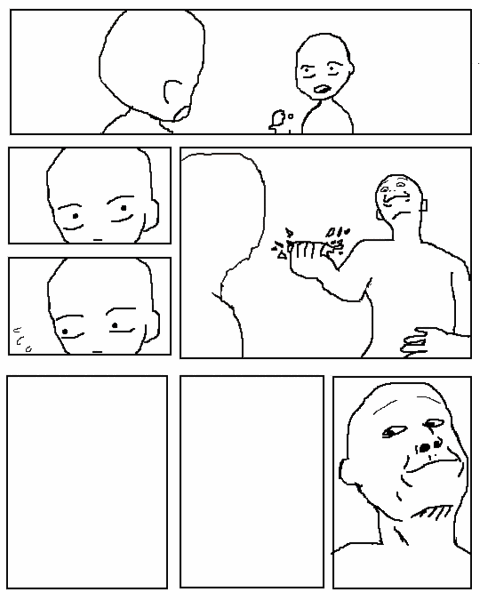
    So I was wondering if somebody could take the face in the bottom right frame, and apply it to the frame next to that slightly larger, and then larger in the bottom left frame. I want to make a picture, and I can't do it.

  • dean_machine
    FFR Veteran
    • Oct 2006
    • 1267

    #2
    Re: Yeah.

    Was this what you wanted?

    Comment

    • II ViRiZ II
      FFR Player
      • Dec 2006
      • 56

      #3
      Re: Yeah.

      Why couldn't you do this ?_?
      This is capable at least 2 different ways with paint.

      Comment

      • NFD
        FFR Player
        • Nov 2007
        • 4715

        #4
        Re: Yeah.

        Thanks.

        Comment

        • NFD
          FFR Player
          • Nov 2007
          • 4715

          #5
          Re: Yeah.

          Also, yeah.

          When I try and color it, shades of black and white, and brown.

          Double post.

          Comment

          • dean_machine
            FFR Veteran
            • Oct 2006
            • 1267

            #6
            Re: Yeah.

            Originally posted by NFD
            Also, yeah.

            When I try and color it, shades of black and white, and brown.

            Double post.
            That's because it's a gif image (I resaved it as gif since the original image was gif) and gif images are opened in indexed mode. To color it, you'll want to change it to rgb mode.

            Comment

            • NFD
              FFR Player
              • Nov 2007
              • 4715

              #7
              Re: Yeah.

              So just change the file to a .png?

              Comment

              • dean_machine
                FFR Veteran
                • Oct 2006
                • 1267

                #8
                Re: Yeah.

                Originally posted by NFD
                So just change the file to a .png?
                Actually that won't work since png images can be saved in indexed mode too. I would say save as jpg since I don't know how to change modes in paint.

                Comment

                • NFD
                  FFR Player
                  • Nov 2007
                  • 4715

                  #9
                  Re: Yeah.

                  But with .jpeg comes coloration loss. D:

                  Comment

                  • dean_machine
                    FFR Veteran
                    • Oct 2006
                    • 1267

                    #10
                    Re: Yeah.

                    Originally posted by NFD
                    But with .jpeg comes coloration loss. D:
                    Let me resend the picture to you then.

                    edit: here

                    Comment

                    • NFD
                      FFR Player
                      • Nov 2007
                      • 4715

                      #11
                      Re: Yeah.

                      This works fine, thanks again again, dean.

                      Comment

                      Working...
