

First, Grab some abstract brushes from deviantart.com
Then, grab a render. I'll be using this http://img100.exs.cx/img100/4778/dbz2110246jy.png
P.S I am using CS2 for this but 7+ should be fine.
Open up a new document 450x150 with a transparent BG. Press D to reset your colors and go to filter-render-clouds.
Then switch you colors(X) so white is your foreground color. Then grap your brush and brush till you get something you like. this is what I got.
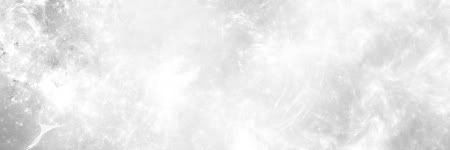
Then layer-new adjustment level-curves. Make the input 166 and the out put 80. Then Drop your render right in the middle.

Copy the render layer(Ctrl J) and filter-blur-motionblur.
Angle:0
Distance:36
Now, copy that layer.
Then merge the 2 motion blur layer's together and place the original render on top. Then merge them so there is on render.

Now, got to layer-new adjustment layer-color balance. Use any color you like.
Then, place the render on top.

Next, Open a new layer and filter-render-clouds. Then, filter-noise-add noise.
400
guassian
monochromatic
Then, filter-blur-motionbur.
45 angle
14 distance
Then set that layer to soft light.

Now for the final step.
Copy your render layer and filter-blur-guassianblur
3.0 pixels
Then set that layer to over lay and youre set.
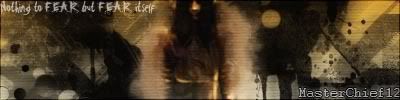
Heres one with some finishing touches.

My first tut so please dont flame.
I'd love to see your outcomes.
Then, grab a render. I'll be using this http://img100.exs.cx/img100/4778/dbz2110246jy.png
P.S I am using CS2 for this but 7+ should be fine.
Open up a new document 450x150 with a transparent BG. Press D to reset your colors and go to filter-render-clouds.
Then switch you colors(X) so white is your foreground color. Then grap your brush and brush till you get something you like. this is what I got.
Then layer-new adjustment level-curves. Make the input 166 and the out put 80. Then Drop your render right in the middle.
Copy the render layer(Ctrl J) and filter-blur-motionblur.
Angle:0
Distance:36
Now, copy that layer.
Then merge the 2 motion blur layer's together and place the original render on top. Then merge them so there is on render.
Now, got to layer-new adjustment layer-color balance. Use any color you like.
Then, place the render on top.
Next, Open a new layer and filter-render-clouds. Then, filter-noise-add noise.
400
guassian
monochromatic
Then, filter-blur-motionbur.
45 angle
14 distance
Then set that layer to soft light.
Now for the final step.
Copy your render layer and filter-blur-guassianblur
3.0 pixels
Then set that layer to over lay and youre set.
Heres one with some finishing touches.
My first tut so please dont flame.
I'd love to see your outcomes.


 [/center]

Comment